
Freelance Pro Tools: This Guide Helps You Get Everything Down
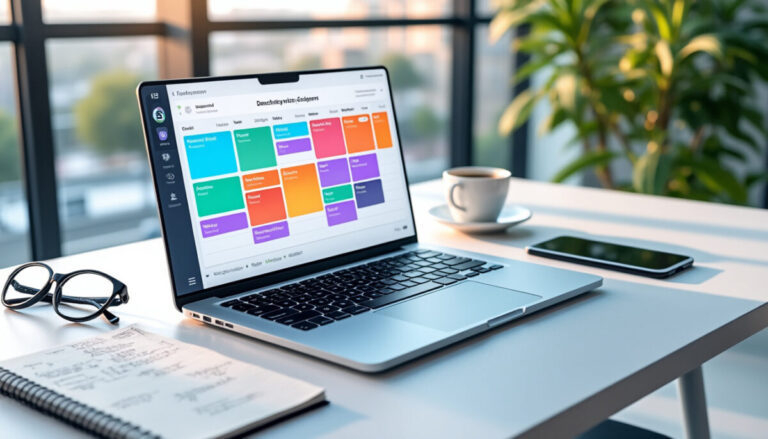
Hi everyone, Mila here. To get everything in one place, create a single dashboard that brings together your clients, projects, tasks, deadlines, and income. In 2026, freelancers often wear many hats; choosing the right professional tools helps you stay organized without piling up subscriptions. The right workspace doesn’t have to be complex software: above all, it should show you what to do, for whom, and by when.
GET STARTED RIGHT AWAY
- Choose one space to centralize your work information.
- Create a profile for each client with their contact details, assignments, and deadlines.
- Record each task with a clear next action and a realistic date.
- Add a simple way to track time and invoices to send or pay.
- Block out 15 to 30 minutes each week to review how things are going.
You can start with Notion or a spreadsheet, then add a tool only when a real need arises. To compare options without getting lost in lists, also check out these tips on the right tool stack for freelancers and productivity mistakes related to tools.
A workspace that brings clarity to your freelance business
Your dashboard should quickly answer three questions: who’s waiting for what, what’s the next deadline, and what needs to be invoiced? If you have to open five apps to find out, your system is probably making your day more complicated.
Imagine Lina, a freelance writer with four active clients. She centralizes her briefs, delivery dates, and invoices to prepare in a simple database. Her time-tracking tool remains separate, but the important information is visible from her main workspace: she knows what to work on without rummaging through her emails.
Useful sections to add to your dashboard
- Clients: main contact, current assignment, agreed rate, and next follow-up.
- Projects: deliverables, stages, feedback expected, and delivery date.
- Task tracking: next action, priority, and estimated time.
- Business management: quotes, invoices, payments received, and expenses to check.
- Work routine: work blocks, appointments, and time set aside for prospecting.
Notion can bring notes, tasks, and documents together in one space. Todoist is a better fit if you mainly want a quick task list, while project management software becomes useful when several stages and people need to stay in sync.
To compare solutions by need, you can browse this selection of project management tools for freelancers or check out a broader overview of free and paid freelance tools.
Choose professional tools without weighing down your routine
A tool should solve a concrete problem: make invoicing easier, clarify a deadline, or reduce unnecessary back-and-forth. Start with free versions when they’re enough, then pay for a feature that genuinely saves you time or protects your business.
| Need | Possible tool | What to check before choosing |
|---|---|---|
| Organization and documents | Notion or Google Workspace | Can you quickly find client information? |
| Project management | Notion, Trello, or Nifty | Are the stages and responsibilities visible? |
| Time tracking | Toggl Track | Is tracking simple enough to use every day? |
| Appointments | Calendly | Are your availability and break times set up properly? |
| Invoicing and payments | Abby, Freebe, Shine, or Stripe, depending on your business | Is the tool suitable for your business status and clients? |
| Creation and communication | Canva or Loom | Does the tool really improve presentation or clarity? |
Pricing varies depending on the features and plans. To get started, a budget of €0 to around €40 per month may be enough, depending on the tools you choose; check the prices and terms that apply to your situation before subscribing.
Two scenarios to tailor your organization
If you’re just starting out with a few projects: keep one central workspace, a suitable invoicing tool, and a reliable calendar. A lightweight setup is easier to maintain than a collection of apps.
If you manage several clients at once: separate your projects, add time tracking, and automate appointment or payment reminders when it makes sense. Your productivity then depends as much on having visibility into your priorities as it does on getting things done quickly.
Set up your planning in three steps
- Step 1 — Take stock: note the tasks you repeat every week, the information you often look for, and the delays that keep cropping up. Then choose just one pain point to fix.
- Step 2 — Build your workspace: create a client view, a project view, and an action list. Add deadlines and invoices to track, without trying to automate everything right away.
- Step 3 — Adjust after two weeks: remove unnecessary fields, identify forgotten tasks, and add automation only if it prevents a repetitive manual step. A useful system is easy to update.
A common mistake is creating a very detailed dashboard, then never opening it again. To avoid this, start with the essential information and set aside a regular time slot to update your dashboard. Consistency is better than an organization system that’s perfect on paper.
A simple rule for keeping your system lightweight
Before adding a new tool, ask yourself whether it replaces a step, clarifies a responsibility, or prevents something from being forgotten. If the answer is no, stick with your current system. To learn more about automation without piling on apps, also explore the freelance tasks to automate first.
Frequently asked questions about professional tools for freelancers
What is the simplest workspace for organizing a freelance business?
A dashboard in Notion or a spreadsheet is often enough to get started. Just add the clients, projects, deadlines, and invoices you need to track.
Do you need a different tool for every need?
Not necessarily. Centralize your key information, then use a specialized tool only when it meets a recurring need, such as time tracking or invoicing.
How much should you budget for professional tools as a freelancer?
You can start for free with basic plans. A monthly budget of €0 to around €40 may suit a small-scale business, depending on the software, options, and your situation.
How can you avoid wasting time setting up your organization system?
Limit yourself to the essential fields, use your system for two weeks, then adjust it. Avoid building automations before identifying a repetitive task.
Thanks so much for reading; Mila. I’d love it if you left a comment at the bottom of the page, thank you!